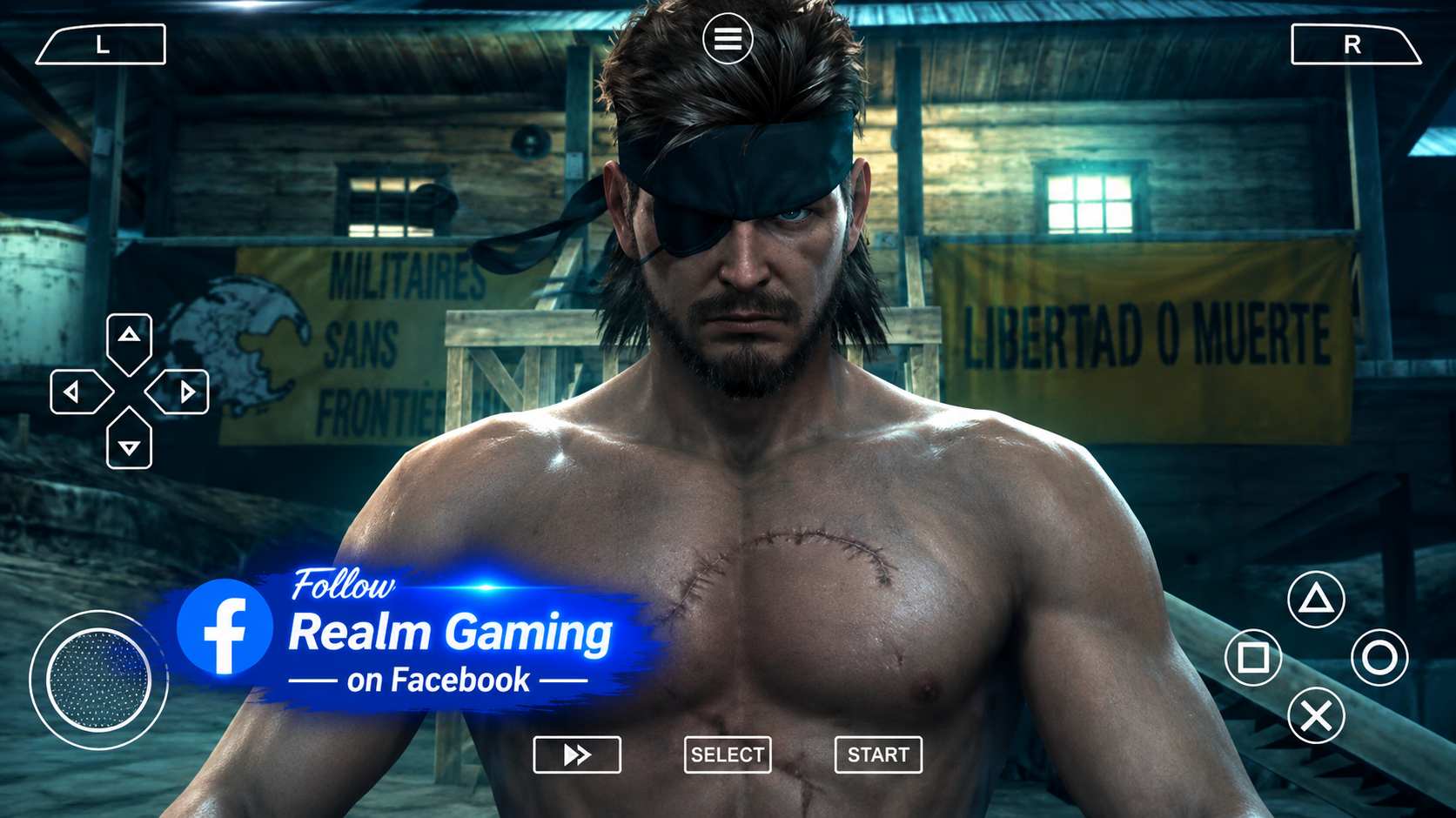
Download Metal Gear Solid: Peace Walker PPSSPP HD Pack Textures and play it on your mobile device using the PPSSPP emulator. Sharper UI, upgraded menus and HD visuals, 100% offline on Android.
Overview Of Metal Gear Solid: Peace Walker PPSSPP HD Pack Textures
Metal Gear Solid: Peace Walker PPSSPP HD Pack Textures is one of the most searched mods for stealth action fans on Android. Peace Walker is already considered one of the best games ever made for the PSP, directed by series creator Hideo Kojima himself, and this HD texture pack takes the classic experience and sharpens it up for modern phone screens.
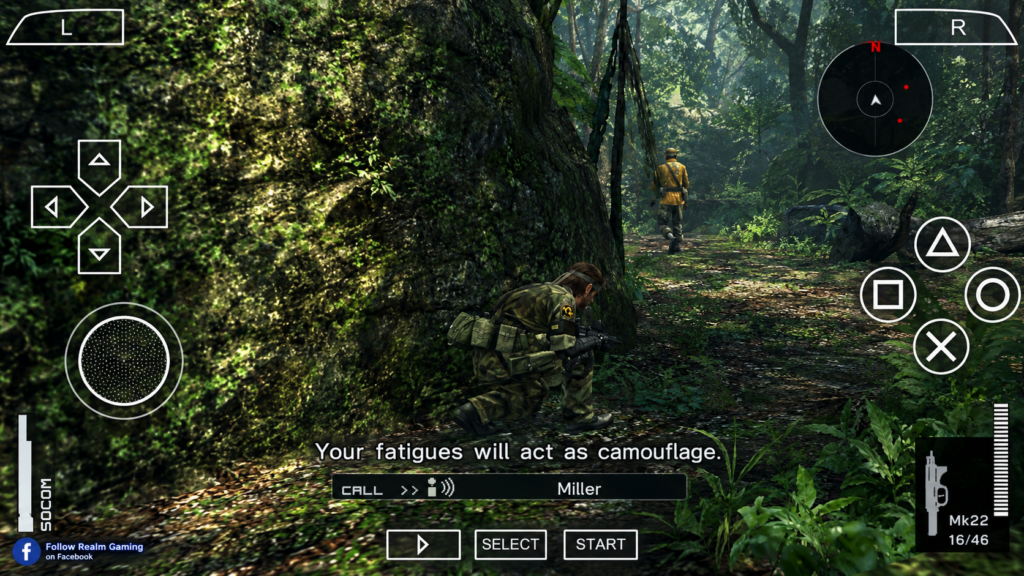
Instead of changing the gameplay, the HD pack focuses on cleaning up the parts of the game that looked blurry when stretched to larger, high-resolution screens. This includes the menus, the HUD, fonts, icons, and several title and mission intro screens, giving Metal Gear Solid: Peace Walker a noticeably crisper look without touching the core game itself.
The HD Pack Textures is lightweight, usually sitting at under 100MB, which makes it one of the easiest mods to add on top of your existing Metal Gear Solid: Peace Walker PPSSPP installation. Combined with the free PPSSPP emulator, Android players get a stealth action classic that looks noticeably better while still running smoothly, even on mid-range phones.
Key Features
- Small Add-On Size: The HD Pack Textures file is typically under 100MB, easy to install alongside the main game.
- Sharper HUD And UI: Menus, icons, and on-screen elements look much clearer on modern phone screens.
- Upgraded Fonts And Icons: Text and small details are replaced with cleaner, higher resolution versions.
- Remade Title And Mission Screens: Boss introduction and title screens get a noticeable visual upgrade.
- Deep Stealth Gameplay: Full Metal Gear Solid: Peace Walker missions, Mother Base management, and co-op content included.
- Offline Gameplay: No internet connection needed once installation is complete.
- Works With Existing Save Data: The texture pack doesn’t affect your save files, so your progress stays safe.
What Is Metal Gear Solid: Peace Walker PPSSPP HD Pack Textures
Metal Gear Solid: Peace Walker PPSSPP HD Pack Textures is a fan-made texture replacement pack, not a full remaster. It works through a PPSSPP feature called “texture replacement,” which allows the emulator to swap out the original, low resolution PSP graphics for sharper, custom-made versions while the base game stays exactly the same underneath.
Metal Gear Solid: Peace Walker was originally released in 2010 for the PlayStation Portable, and it remains a fan favorite for its mix of stealth action, base building, and cooperative missions. Because it was built for a small PSP screen, the original textures can look rough when played on a large modern phone display. The HD Pack Textures mod directly fixes that issue.
To use Metal Gear Solid: Peace Walker PPSSPP HD Pack Textures, players need the
PPSSPP emulator along with the base game file for Metal Gear Solid: Peace Walker.
The mod folder has to match the exact Game ID of your copy of the game, which for
the US version is ULUS10509, so that PPSSPP knows exactly which
textures belong to which game.
This mod continues to be searched for years after its original release because stealth game fans still consider Peace Walker one of the best entries in the Metal Gear series, and the HD Pack Textures mod is one of the simplest ways to make it look noticeably better on a modern phone.
Steps To Download And Install Metal Gear Solid: Peace Walker PPSSPP HD Pack Textures On Mobile Android
Part 1: Installing The Base Game
Check your storage space. Make sure your phone has at least
1.5GB free for the base game, plus a little extra for the texture pack.
Install the PPSSPP emulator. Search for “PPSSPP” on the Google
Play Store and install the official free app.
Install a file extractor app. Download ZArchiver so you can
unpack ZIP or RAR files.
Extract the ISO file. Open ZArchiver, find the downloaded game
file, and extract it to get the ISO or CSO file.
Move the ISO into the PSP folder. Place the file inside
Internal Storage/PSP/GAME/.
Open PPSSPP and confirm the game runs. Launch the emulator, find
the game using its file browser, and make sure Metal Gear Solid: Peace Walker
loads properly before adding the HD texture pack.
Part 2: Installing The HD Pack Textures
Confirm your Game ID. Tap the “i” icon next to Metal Gear Solid:
Peace Walker inside PPSSPP to check your Game ID. For most players, this will be
ULUS10509.
Extract the HD Pack Textures file. Use ZArchiver to unzip the
downloaded HD texture pack.
Find the correct TEXTURES folder. On most phones, this is
Internal Storage/PSP/TEXTURES/. On Android 11 and above, it’s
usuallyAndroid/data/org.ppsspp.ppsspp/files/PSP/TEXTURES/instead,
since newer Android versions restrict direct access to the visible storage
folder.
Create a Game ID folder. Inside the TEXTURES folder, create a
new folder named exactlyULUS10509if it doesn’t already exist.
Paste the HD texture files inside. Move all the extracted files
from the HD Pack Textures into this ULUS10509 folder.
Turn on texture replacement. In PPSSPP, go to Settings, then
Tools, then Developer Tools, and make sure “Replace Textures” is switched on.
Restart the game. Close and reopen Metal Gear Solid: Peace
Walker from PPSSPP. The upgraded HUD, fonts, and title screens should now appear
automatically.
If the new textures don’t show up, double-check that the folder name matches your Game ID exactly, and that “Replace Textures” is turned on in PPSSPP’s developer settings.
Download Metal Gear Solid: Peace Walker PPSSPP HD Pack Textures For Android
⚡ Download 👈Download Metal Gear Solid: Peace Walker PPSSPP HD Pack Textures and play it right on your mobile device, or share the mod with friends so you can both enjoy a sharper-looking version of this stealth action classic. It’s a simple way to give an old favorite a fresh new look without changing any of the gameplay you already love.
If you enjoy this kind of mod, you may also want to look into other PSP stealth and action titles that work well with PPSSPP, such as Metal Gear Solid: Portable Ops, God of War: Ghost of Sparta, and Tekken 6 PPSSPP Mod for a different style of action gameplay. Fans of Metal Gear Solid: Peace Walker often enjoy these titles for a similar mix of classic PSP-era storytelling and gameplay depth.
Whether you’re replaying Peace Walker for the tenth time or jumping into Big Boss’s story for the first time, the HD Pack Textures mod is one of the easiest upgrades you can add to your PPSSPP setup.
Frequently Asked Questions
Does the HD Pack Textures change the Metal Gear Solid: Peace Walker gameplay?
No, the mod only replaces visuals like the HUD, menus, fonts, and some title screens. The missions, story, and gameplay stay exactly the same.
Will this mod affect my existing save data?
No, the HD Pack Textures only changes graphics files. Your save data and progress in Metal Gear Solid: Peace Walker stay completely untouched.
Does Metal Gear Solid: Peace Walker PPSSPP work offline?
Yes, once installed, the game runs 100% offline, including the HD texture pack. No internet connection is needed to play.
Why aren’t my new textures showing up in-game?
This usually means either the Game ID folder name is incorrect, the files were placed in the wrong TEXTURES location for your Android version, or “Replace Textures” hasn’t been turned on in PPSSPP settings.
Does this mod work on the EU version of the game?
Yes, the HD Pack Textures is compatible with the EU version as well, though you’ll need to name your folder using the EU Game ID instead of the US one.
Leave a Reply